
How to apply for repayment when you have declared your consignment in the Import Declaration Service for private persons
1. Log in to the Import Declaration Service for private persons.
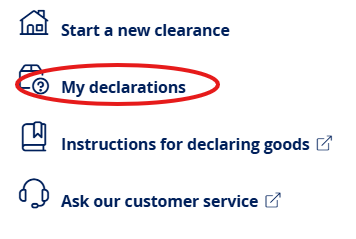
2. Go to “My declarations”. If you’re using a computer, you can find “My declarations” at the top of the page.

If you’re using a mobile device, you can find “My declarations” in the menu.

3. Select the declaration of the completed clearance for which you’re applying for repayment.
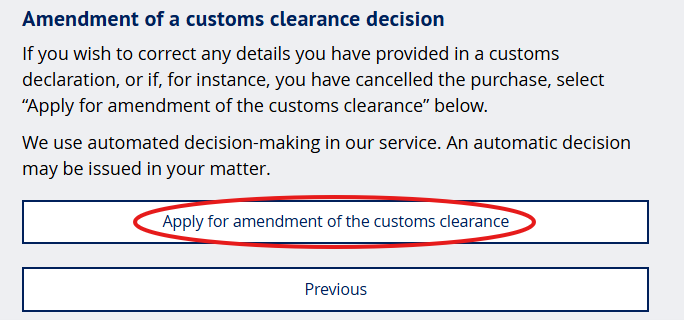
4. Select that you’re applying for amendment of the customs clearance.
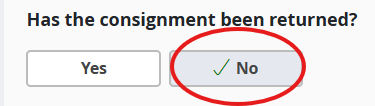
5. Reply with a “No” to the question whether the consignment has been returned.
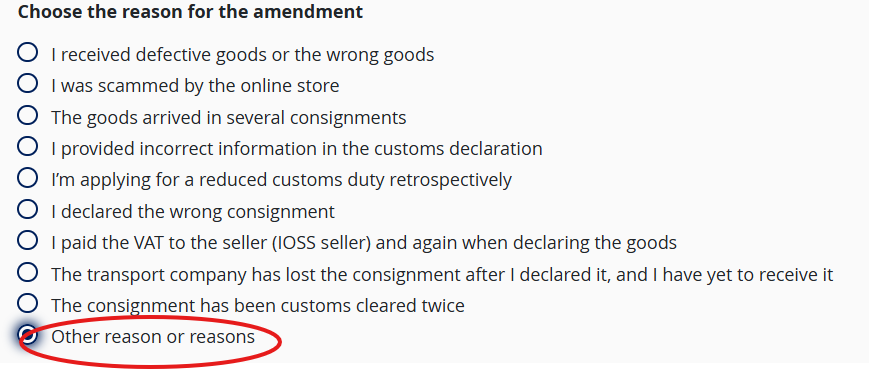
6. Select “Other reason or reasons” as the reason for the amendment.
7. Write “Wrong VAT” in the field for “Additional information”.

8. Provide the e-mail address, bank account number and name of the person to whom Customs is to pay the repayment. Please also attach the letter that you have received from Customs.
9. Submit the application.
Customs will process your application and send you the decision by post. Customs will refund the VAT paid in excess to the bank account that you provided.